How do I make a compass in Minecraft? Use a crafting table to place 4 iron ingots around 1 redstone dust in the center square. The recipe creates 1 compass. A regular compass points toward the world spawn, while using it on a lodestone links it to that block instead.
How do I make a compass in Minecraft?
You need five ingredients in total: four iron ingots and one redstone dust. You also need access to a crafting table because the recipe uses the full 3×3 crafting grid.
| Ingredient | Quantity | How to get it |
|---|---|---|
| Iron ingot | 4 | Smelt raw iron or iron ore in a furnace or blast furnace |
| Redstone dust | 1 | Mine redstone ore or obtain it from some loot and villager trades |
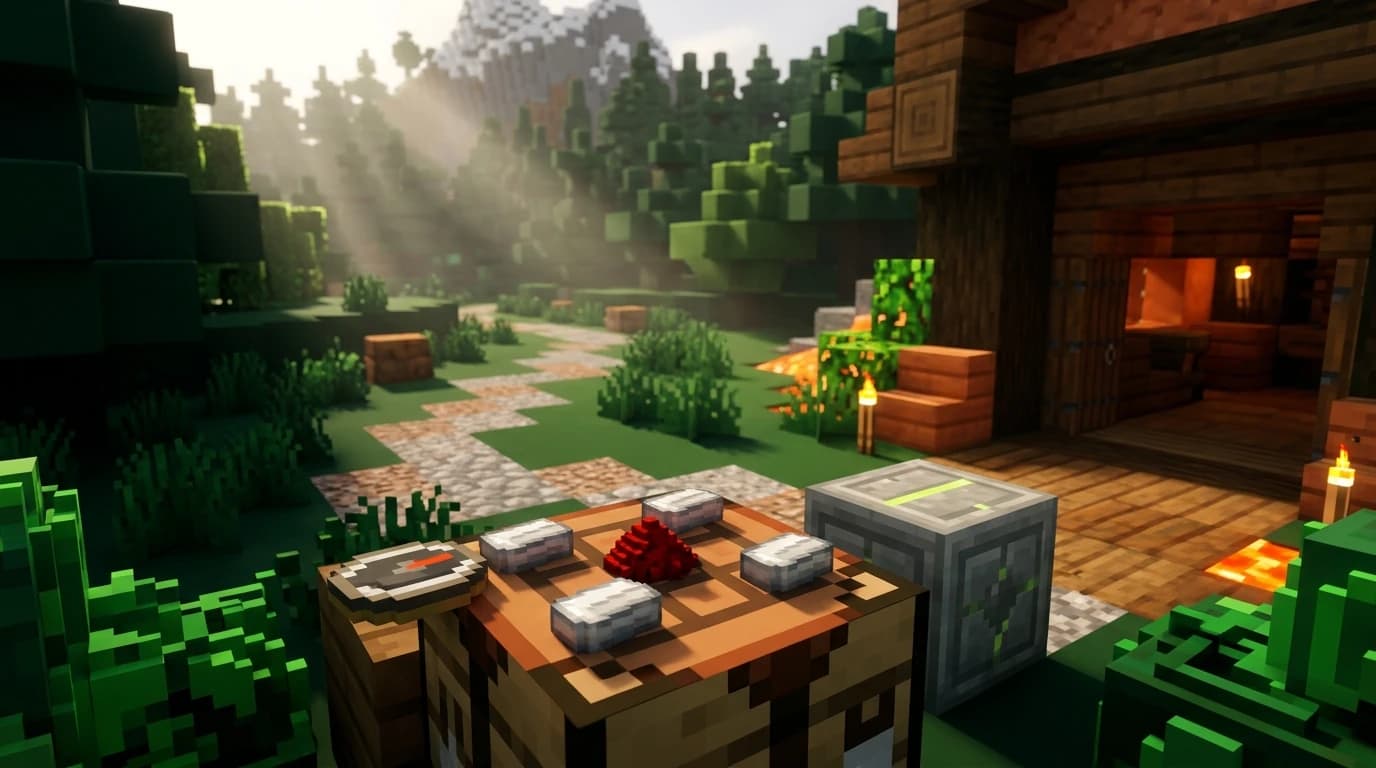
The compass recipe uses four iron ingots on the top, bottom, left, and right sides of the grid, with one redstone dust in the exact center. The four corners remain empty.
Compass crafting-grid layout
- Top row: empty, iron ingot, empty
- Middle row: iron ingot, redstone dust, iron ingot
- Bottom row: empty, iron ingot, empty
When the compass appears in the result slot, move it into your inventory. The recipe makes one compass at a time, and you can repeat it whenever you have another four iron ingots and one redstone dust.
How to gather the compass ingredients
Iron is usually the easier ingredient to collect early in a survival world. Mine iron ore with a stone pickaxe or better, then place the raw iron or iron ore in a furnace with fuel. Each smelted piece produces one iron ingot.
Redstone is found underground and is most common in the lower parts of the Overworld. Mine redstone ore with an iron pickaxe or better. Redstone ore drops multiple pieces of redstone dust, so one ore block normally provides enough dust for several compasses.
Fast early-game collection route
- Collect enough wood to make a crafting table, sticks, and basic tools.
- Upgrade to a stone pickaxe before mining iron or redstone.
- Smelt at least four pieces of raw iron into iron ingots.
- Search underground for redstone ore and mine one block.
- Craft the compass at a crafting table using the cross-shaped layout.
You can also get a compass without crafting one. Compasses may appear in chests in structures such as villages, strongholds, shipwrecks, ancient cities, and trial chambers. Expert librarian villagers can also offer compasses for emeralds, although trading is less useful than crafting one during the early game.
How to use a compass in Minecraft
Hold the compass in your hand or place it in your hotbar. The needle rotates as you move and points toward the world's spawn point. The direction is shown relative to your current position, so turn your character and watch where the needle leads.
The world spawn is the location used when players first enter the world, or the location changed with the /setworldspawn command. A compass does not point to your bed, your last death location, or the place where you built your house.
Using a compass to navigate
- Stand somewhere you recognize and hold the compass.
- Rotate until the needle points toward the top of the compass interface.
- Walk forward while checking the needle regularly.
- Use landmarks, coordinates, or a map to confirm your position as you travel.
A compass is most useful when you leave the starting area and need to return to world spawn. It is less useful for finding a personal base unless your base is close to spawn or you connect the compass to a lodestone.
How to set a compass to your base
You cannot directly set a regular compass to your bed or house. To make a compass point to a chosen location, place a lodestone there and use the compass on it. The compass becomes a lodestone compass and tracks that specific block.
Linking a compass to a lodestone
- Craft or obtain a lodestone.
- Place the lodestone at your base, portal, mine entrance, or another location you want to remember.
- Hold a compass in your hand.
- Use the compass on the lodestone. On PC, this is usually a right-click; on console, use the block-interaction button.
- Check the compass for its enchantment-like glint, which shows that it is linked.
The linked compass points to that lodestone instead of world spawn. This makes it useful for marking a distant base, a Nether portal, a storage area, or an important route.
A lodestone compass only works correctly in the same dimension as its lodestone. If you take it to another dimension, the needle spins randomly. If the lodestone is destroyed, the compass also stops giving a reliable direction. Keep the lodestone in place and avoid mixing linked compasses with ordinary ones.
What does a compass do in Minecraft?
A regular compass points to world spawn. Its main purpose is navigation: it helps you travel back toward the area where the world begins, especially when you are exploring without coordinates or a map.
- Regular compass: points toward world spawn in the Overworld.
- Lodestone compass: points toward its linked lodestone in the same dimension.
- Map ingredient: combines with paper to help create a map.
- Navigation aid: can be held, placed in an item frame, or kept in your inventory while traveling.
A compass does not show your exact coordinates and does not track another player. It also does not automatically update to the bed where you last slept. If you want a precise base marker, use coordinates, a map, or a lodestone.
Why does my compass spin or point the wrong way?
Compass behavior changes outside the Overworld. In the Nether and the End, an ordinary compass spins randomly because it cannot point normally toward the Overworld's world spawn from those dimensions.
A lodestone compass can work in the Nether or the End, but the lodestone must be placed in that same dimension. A compass linked to a Nether lodestone becomes unreliable if you carry it back to the Overworld.
Common compass problems
- It points away from your home: your home is not at world spawn, or the compass is not linked to a lodestone.
- It points somewhere unexpected: world spawn may be far from your current base.
- It spins constantly: you are likely in the Nether or End, the linked lodestone was broken, or the compass is in a different dimension from its target.
- It does not point to your bed: that is normal behavior for a regular compass.
- You lost your base: use coordinates, a map, or a lodestone next time instead of relying only on a regular compass.
Compass differences between Java and Bedrock Edition
The basic compass recipe is the same in Java Edition and Bedrock Edition: four iron ingots surrounding one redstone dust in a crafting table. Regular compasses also point toward world spawn in both editions, and both editions support lodestones for setting a custom target.
Some map recipes and villager trade details differ between editions, but those differences do not change how you craft or use a normal compass. If you are playing on a multiplayer world, the server may also use plugins or custom rules that change compass behavior, so check the server's item descriptions if the needle does not act like vanilla Minecraft.
Practical tips for using a compass
Craft your first compass when you have spare iron and redstone, but do not treat it as a replacement for coordinates. Press the coordinate display shortcut for your edition or write down important locations before traveling far.
For long-term worlds, place a lodestone at your main base and keep its linked compass in a dedicated chest. Mark other major locations with separate lodestones only if you can keep the compasses organized. If you are exploring underground or across oceans, combine the compass with a map and visible landmarks so one tool does not have to do every navigation job.