What s Minecraft? Minecraft is an open-world sandbox game where you break and place blocks, gather resources, craft tools, explore generated worlds, build structures, and survive dangerous mobs. It has no single required ending: play Survival to progress, Creative to build freely, or multiplayer to share the world with others.
What s Minecraft, exactly?
Minecraft is a block-based action-adventure and sandbox game. Almost everything in its world is made from blocks that you can mine, collect, place, or use in crafting recipes. You can turn wood into tools, stone into stronger equipment, and mined resources into weapons, armor, farms, buildings, and machines.
Each new world is generated from a seed, so its terrain, villages, caves, oceans, mountains, and resources can differ from world to world. You might spawn beside a forest, desert, snowy mountain, ocean, or village. The world is yours to shape, and there is no quest list forcing you to follow one path.
Minecraft is usually described as an open-world sandbox game. It also includes action, exploration, crafting, building, survival, and multiplayer elements. The main appeal is that the same game supports very different play styles: you can construct a detailed castle, search for rare materials, automate a farm, fight monsters, explore other dimensions, or simply decorate a home.
What is the goal of Minecraft?
Minecraft has no official final goal. You decide what success means in your world. Some players treat defeating the Ender Dragon as beating the game, but the world continues afterward and you can keep building, exploring, and collecting items.
- Survival progression: gather materials, make tools, find food, build shelter, and improve your equipment.
- Exploration: discover biomes, villages, structures, caves, oceans, and other dimensions.
- Building: use blocks to create houses, castles, cities, farms, statues, and technical bases.
- Redstone engineering: build automatic farms, doors, elevators, sorting systems, traps, and other mechanisms.
- Combat: fight hostile mobs, explore dangerous areas, and prepare for major battles.
- Multiplayer: share a world, cooperate on projects, compete, trade, or join community-created activities.
This open-ended design is why two players can spend hundreds of hours in Minecraft while doing completely different things.
Which Minecraft game mode should you choose?
Survival mode
Survival is the traditional Minecraft experience. You begin with no useful equipment, collect resources by hand, craft tools, manage health and hunger, and defend yourself from hostile mobs. Blocks take time to break, valuable materials must be found, and dying can cause you to lose items.
Survival is the best place to start if you want the complete progression loop. Your first priorities are wood, tools, food, light, and a safe shelter. Later, you can mine for ores, enchant equipment, visit the Nether, search for strongholds, and challenge the Ender Dragon.
Creative mode
Creative mode gives you unlimited access to blocks and items, lets you fly, and removes the usual health, hunger, and resource limitations. Blocks break instantly, making it ideal for testing designs, building large projects, learning commands, or experimenting with redstone.
Hardcore mode
Hardcore is a one-life version of Survival. If you die, you cannot normally return to the world as a living player. It is designed for experienced players who want permanent consequences and a much higher level of risk.
Adventure and Spectator modes
Adventure mode is mainly used for player-made maps and controlled experiences, where block-breaking and block-placing can be restricted. Spectator mode lets you observe and move through the world without normally changing it.
What do you do in Minecraft Survival?
If you are unsure what to do after creating a world, follow this practical starting route:
- Collect wood. Break nearby tree logs and turn them into planks, sticks, and a crafting table.
- Make basic tools. Craft a wooden pickaxe, then use it to collect stone for stone tools, a furnace, and a stronger weapon.
- Find food. Gather crops, hunt animals, fish, or locate a village. Keep food available before exploring caves.
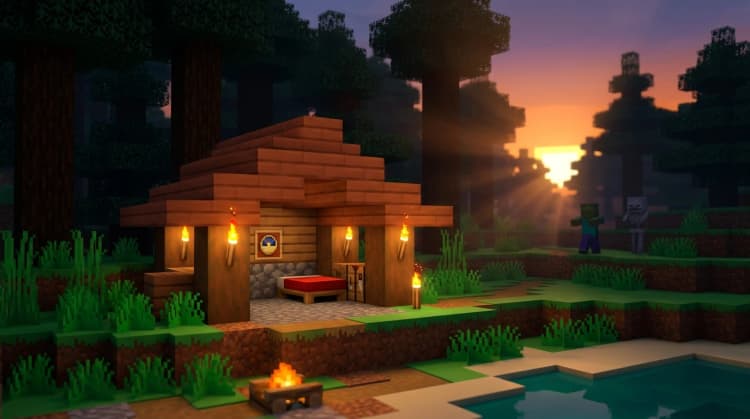
- Build a shelter. A small room with a door, roof, bed, furnace, crafting table, and storage protects you from nighttime threats.
- Make a bed. Wool from sheep and wooden planks let you set your spawn point and skip the night.
- Collect iron. Iron supports better tools, armor, shields, buckets, minecarts, and many useful recipes.
- Explore underground. Bring torches, food, blocks, a water bucket when possible, and spare tools.
- Set a longer-term project. Build a permanent base, start a farm, connect locations with paths, or search for a structure.
Do not feel pressured to rush toward the End. Minecraft is often most enjoyable when you set a small goal, complete it, and let the next project grow naturally from what you find.
What are mobs in Minecraft?
Mobs are living creatures and other mobile entities that inhabit Minecraft’s dimensions. They can be friendly, neutral, or hostile, and many have useful drops or special behaviors.
- Passive mobs: creatures such as cows, pigs, chickens, sheep, and villagers generally do not attack you.
- Neutral mobs: creatures such as wolves, bees, and some other animals usually remain calm until you attack or disturb them.
- Hostile mobs: enemies such as zombies, skeletons, spiders, and creepers actively threaten you under the right conditions.
Creepers are one of Minecraft’s most recognizable hostile mobs. They approach quietly, hiss, and explode near players or structures. Torches, walls, shields, distance, and careful movement help you manage hostile mobs, especially at night and inside dark caves.
Animals also have practical uses. Horses can be ridden, donkeys can carry a chest, and armadillos can be interacted with for their unique drops and behavior. The food or breeding item depends on the mob, so check the item you are holding if an animal does not respond.
What can you build and automate?
Building is not limited to houses. You can create farms, bridges, mines, roads, towers, underground bases, castles, ports, libraries, and entire cities. Because blocks come in many shapes, colors, and materials, you can choose between functional builds and detailed decoration.
Redstone adds a technical layer to the game. A redstone signal can activate components and create useful systems.
- Hoppers move items between inventories, such as chests, furnaces, and droppers.
- Observers detect certain block updates and send a short redstone pulse.
- Comparators compare signal strength or read the fullness of some containers.
- Repeaters extend, delay, and control redstone signals.
- Pistons push blocks to create doors, elevators, farms, and moving machines.
You do not need to understand redstone immediately. Start with a simple crop farm or automatic smelter, then learn one component at a time.
How large is a Minecraft world?
Minecraft worlds are extremely large and procedurally generated. In modern versions, the Overworld extends from approximately Y -64 underground to Y 320 at the highest buildable levels, giving the world a vertical range of 384 blocks. The exact useful height depends on the edition, world type, and the activity you are doing.
The Overworld is only one dimension. The Nether is a dangerous lava-filled dimension useful for fast travel and rare materials, while the End contains floating islands and the Ender Dragon. Each dimension has different terrain, resources, mobs, and travel rules.
What Minecraft version are we on?
Minecraft is available in two main editions: Java Edition for Windows, Mac, and Linux, and Bedrock Edition for Windows, Xbox, PlayStation, Nintendo Switch, mobile devices, and other supported platforms. The version number can differ between editions and may change as hotfixes release.
As of August 7, 2026, the latest Java release listed by Mojang is Java Edition 26.1.1. The latest major game drop is Chaos Cubed, released on June 16, 2026. It adds sulfur caves, sulfur and cinnabar blocks, sulfur cubes, geysers, and related gameplay features. Check your launcher or platform store for the exact installed Bedrock version before joining a world or server.
Future updates are announced through official game-drop news and testing versions. Snapshots, previews, and betas can contain unfinished features, so they may change before reaching the normal release.
Is Minecraft safe and suitable for children?
Minecraft is rated E10+ for Everyone 10+ by the ESRB for fantasy violence. Combat includes fighting creatures and, in some multiplayer situations, other players, but the game does not use realistic blood or graphic injuries. The game also includes online interactions and optional in-game purchases, so parents should review account, chat, multiplayer, and purchase settings.
Creative mode removes most survival pressure, while Peaceful difficulty removes many hostile-mob threats. For younger players, a private world, local multiplayer session, or supervised server can provide more control over who they play with.
Common mistakes new Minecraft players make
- Do not dig straight down because you can fall into a cave or lava.
- Do not explore far without food, light, blocks, and spare tools.
- Do not leave valuable items in an unprotected area before setting up storage.
- Do not assume every dark room is safe; hostile mobs can spawn where light is low.
- Do not rush past farming, armor, shields, and preparation before entering dangerous dimensions.
The best next step is simple: create a Survival world, collect wood, make stone tools, and build a shelter before the first night. If you would rather focus on construction, choose Creative and start with a small build that teaches you how blocks, lighting, and space work together.